PDF Reader Point
PDF FuelProductivity
4.2153.00 Reviews
- Version
- 1.2.0
- Installs
- 10.00M
- Age Rating
- Everyone
Screenshots
Our Review of PDF Reader Point
 Analysis by Appyee
I spent time using PDF Reader Point as a practical reading tool rather than treating it like a simple file opener. That distinction matters. A PDF reader becomes useful when it helps you move from “I need to look at this document” to “I can actually understand, check, and return to this document without friction.” PDF Reader Point is aimed at that everyday productivity space, and its main appeal is a straightforward reading experience that does not make the basic task feel complicated.
It is a free app from PDF Fuel, rated for Everyone, and it runs on Android devices using version 6.0 or later. The app has reached over ten million installs and holds a 4.2 average from around sixteen thousand ratings, which gives it a solid level of real-world visibility. I would not treat those figures as proof that it suits every reader, but they do suggest that it has become a familiar option for people who want a dedicated PDF utility instead of relying on whichever file viewer happens to come with their phone.
How PDF Reader Point fits into a normal reading day
My baseline workflow with a PDF reader is simple: open a document, find the right page, read without distractions, and close it knowing I can locate the file again. PDF Reader Point works best when used with that expectation. It is not something I would choose because I need a full office suite. I would choose it when the document itself is the priority and I want a focused place to inspect it.
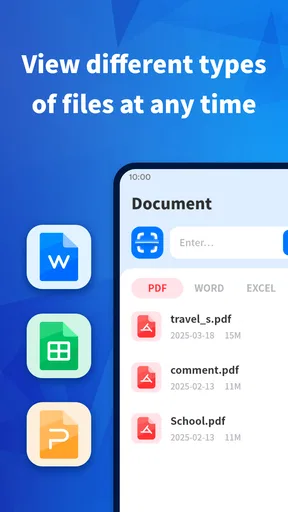
A realistic example is a travel document saved to a phone before leaving home. I might open the itinerary, move through several pages, check a detail, and return to the same section later while offline or in a crowded place. Another common situation is reviewing a school handout, an instruction manual, or a work document sent as an attachment. In each case, the value is not just opening the file once. The useful habit is opening it through the same reader each time, learning where the controls are, and avoiding the repeated search for a compatible app.
I found that a consistent file routine makes more difference than people expect. If downloads, messaging attachments, and cloud files are scattered across different locations, even a good reader can feel inconvenient. I recommend first deciding where important PDFs should live, then using PDF Reader Point as the regular reading point for those files. That small change reduces the time spent hunting through folders and makes the app feel more dependable.
The app’s store summary describes its purpose as a better reading experience, while its short description presents it as a PDF reader. Those phrases are brief, but they point toward the right way to judge it: not by how many unrelated tools it includes, but by whether reading stays comfortable and understandable. In my view, this focus is a strength for people who want less clutter.
The first setup choices are more important than they look
When I install a document reader, I do not immediately start opening random files. I first check how it presents documents and whether the controls are easy to reach while holding the phone. A reader can technically work well and still be annoying if every page movement requires precision or if the basic actions are hidden behind too many layers.
With PDF Reader Point, I would begin by opening one short document and one longer document. The short file confirms that the reader handles the everyday case quickly. The longer file reveals whether my reading rhythm feels natural: can I move through pages without losing my place, can I pause and resume comfortably, and can I reach the relevant controls without interrupting concentration? This two-document check is more useful than judging the app from a single attachment.
I also recommend testing the app with the documents you actually receive. A person who mainly reads text-heavy reports has different needs from someone who opens scanned forms or image-based manuals. The app should be judged against that personal workload. A clean experience with ordinary text does not automatically mean it will be equally convenient for every unusual PDF structure.
One practical tip is to avoid changing several habits at once. Use the reader for a few days with your normal file locations and normal reading pace. Only then decide whether you need a different way to organize documents or adjust the display. This makes it easier to tell whether a problem comes from the app or from a messy file workflow.
Settings worth checking before serious reading
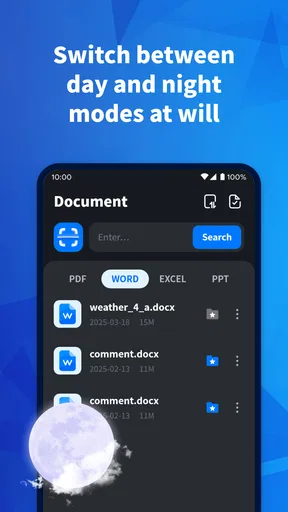
The most valuable settings in any reading app are the ones that prevent fatigue and wasted movement. I would check the display-related options first, especially anything that affects page presentation, brightness, or the way content fits on the screen. A setting that seems minor during a quick test can matter a lot when reading for half an hour on a small phone.
My advice is to create one comfortable default rather than constantly adjusting the screen for every document. If a page is too wide, changing the viewing approach may be more helpful than repeatedly zooming. If the text feels cramped, landscape orientation can sometimes make a document easier to inspect, while portrait mode may be better for continuous reading. The best choice depends on the document, but the important insight is to treat orientation as part of the reading method, not as an emergency fix.
I would also pay attention to how easily the app exposes navigation. Long PDFs punish inefficient habits. Repeatedly swiping page by page is fine for a short handout, but it becomes tiring when checking a lengthy manual or report. Before settling into a long session, I would look for the quickest available way to move through the document and return to a known location. Even without relying on advanced tools, learning the navigation pattern saves more effort than repeatedly zooming in and out.
Another useful check is how the app behaves when a file is opened from different sources. A document received through a messaging app may follow a different opening path from one stored locally. I like to test both early because it tells me whether PDF Reader Point fits naturally into my existing routine. If opening a file requires too many steps, I would rather fix that workflow immediately than blame the reader later.
There is also a privacy-minded habit worth adopting without making assumptions about the app’s policies: avoid leaving sensitive documents open on screen when handing the phone to someone else. This is sensible with any PDF viewer. Close the document or return to a neutral screen after reading bank forms, personal records, or work material. A productivity app is most useful when it fits into responsible everyday behavior.
Repeatable patterns that make reading faster
The quickest users are not necessarily the ones who read fastest. They are the ones who repeat a good process. With PDF Reader Point, I would build a small routine around three moments: opening, locating, and returning. At opening time, I use the same file source whenever possible. While locating information, I avoid random swiping and use a deliberate page-by-page rhythm or the available navigation controls. When returning later, I reopen the document from the same place in my file system instead of creating duplicate copies.
This matters particularly for documents that are read in short bursts. Consider a work instruction that I check for two minutes at a time. I may not finish it in one sitting, so I need a predictable way to resume. My practical approach is to stop at a clear section boundary, remember the page or heading, and close the file rather than leaving the app running indefinitely. That habit reduces the chance of losing context and makes the next session quicker.
For study material, I would separate reading from searching. First, move through the document to understand its structure. Then return to the relevant section when looking for a specific detail. Constantly jumping around during the first pass can make a PDF feel more confusing than it is. A dedicated reader is most helpful when it supports this two-pass approach: orientation first, targeted checking second.
For forms and reference sheets, I would use a different pattern. I would open the document before I need it, identify the pages that contain the important fields or instructions, and keep a mental note of their locations. This is faster than discovering the layout while under pressure. PDF Reader Point can serve well in this role because the task is mainly reliable viewing, not document creation.
One non-obvious trade-off is that a focused reader may encourage better reading discipline than a broader office app. An office suite often presents editing, sharing, conversion, and collaboration tools beside the document. Those features are valuable when required, but they can also pull attention away from a simple review. If my goal is to inspect a PDF and move on, I prefer a less crowded workflow.
Where a dedicated reader is better than the usual alternatives
Many phones already include a basic PDF viewer, so the obvious question is why install another one. In my experience, the answer comes down to consistency. A built-in viewer may be perfectly adequate for a file opened once, but a dedicated app can become a predictable destination for regular reading. That is useful when documents arrive through several channels and I do not want to remember which app opened the previous file.
Compared with a full office suite, PDF Reader Point is the more sensible choice when I only need to read. Office apps are stronger when I must edit text, build a document, convert formats, or work with spreadsheets. Choosing the lighter tool avoids installing a larger workflow for a narrow task. On the other hand, anyone who regularly needs annotations, document editing, or advanced file management should compare those requirements carefully before switching.
Compared with a browser-based viewer, a dedicated app can feel more direct for files stored on the phone. A browser is convenient when a document is already online, but it is not always the most comfortable place for repeated local reading. I prefer keeping a clear separation between web browsing and document reading. That makes it easier to concentrate and reduces the chance of closing the wrong tab or losing the document among unrelated pages.
PDF Reader Point is also a reasonable middle ground for someone who finds specialist professional tools overwhelming. It does not need to replace every app on a device. It simply needs to be the reader I reach for when the job is opening and understanding a PDF. That narrower role is a benefit, provided I do not expect it to become a complete document-production system.
Limits that experienced users should recognize
A balanced review has to acknowledge that reading is only one part of working with PDFs. If my task involves substantial editing, signing, converting, extracting content, or coordinating changes with other people, I would look beyond a focused reader. Those jobs may require tools built specifically for them. Installing PDF Reader Point does not remove the need for a broader document workflow when the work goes beyond viewing.
There is also a difference between a visually simple PDF and a complicated one. A normal text document is an easy test, but forms, scanned pages, unusual layouts, and files with dense graphics can demand more from any reader. I would not assume that a comfortable experience with a basic document guarantees the same result everywhere. Before depending on the app for an important meeting or trip, I would test the exact files I expect to use.
Another limitation is the phone screen itself. Even a good reader cannot turn a small display into a comfortable desktop workspace. Long tables, wide pages, and documents designed for printing may still require frequent zooming or a larger screen. In those situations, PDF Reader Point can remain useful for quick checks, but I would choose a tablet or computer for detailed comparison and extended editing.
People who want a highly customized reading environment should also set realistic expectations. The appeal here is convenience and focus, not necessarily an elaborate professional toolkit. If I need a specialized annotation system or a complex document archive, I would compare dedicated alternatives instead of forcing a general reader into that role.
Who should install it, and who should skip it?
I would recommend PDF Reader Point to Android users who regularly open PDFs and want a dedicated, free productivity app with a straightforward purpose. It suits students checking course material, travelers keeping digital documents nearby, workers reviewing instructions, and anyone who receives PDFs often enough that the default viewer feels inconsistent.
It is especially appealing to people who value a repeatable habit over a long feature list. If I can keep documents organized, use a comfortable display setup, and learn the navigation pattern, the app becomes a dependable part of my phone routine. The fact that it supports Android 6.0 and later also makes it relevant for people using older devices rather than only recent phones.
I would skip it as my main solution if my day-to-day work is centered on changing PDF content rather than reading it. I would also look elsewhere if my priority is a sophisticated document-management system, intensive collaboration, or desktop-level layout control. In those cases, a stronger office or professional PDF package is likely to justify its extra complexity.
For everyone else, the decision is fairly practical: install it, open the documents you actually use, and judge the reading flow rather than the app’s name or download count. If the controls feel natural and your files are easy to reach, it may be all the PDF support you need.
My verdict after building a routine around it
PDF Reader Point works because it keeps the central task clear. I would not describe it as a replacement for every kind of PDF software, but I do see its value as a focused reader for ordinary mobile use. The strongest result comes when I combine the app with simple habits: keep files in a known place, check display settings before a long session, use deliberate navigation, and test important documents in advance.
The app is free, has an Everyone content rating, and is currently at version 1.2.0. Those details make it easy to try without turning the decision into a major commitment. Its 4.2 average and broad install base add reassurance, but my recommendation rests more on the practical fit: it gives PDF reading its own place instead of burying it inside a larger office workflow.
My final judgment is positive with a clear boundary. For reading, checking, and returning to PDFs on an Android phone, I would recommend giving PDF Reader Point a fair trial. For serious editing or advanced document work, I would pair it with a more specialized tool rather than expecting one reader to do everything. The best way to get value from it is to make it part of a repeatable reading routine, not merely another icon for opening occasional attachments.
Verdict
Strengths of PDF Reader Point
- Opens PDFs quickly, even on older Android and iOS devices.
- Simple interface makes finding and reading documents straightforward.
- Supports offline reading after files are saved locally.
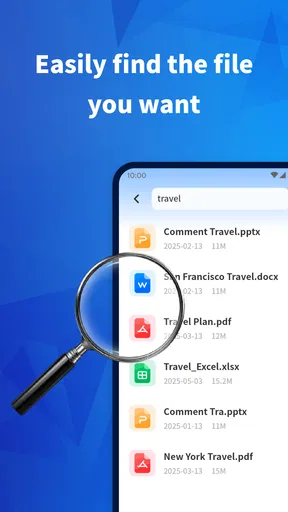
- Useful search tool helps locate words or phrases in long documents.
- Offers convenient zoom and page navigation controls.
Limitations of PDF Reader Point
- Some advanced tools may require a premium upgrade.
- Large or image-heavy PDFs can take longer to load.
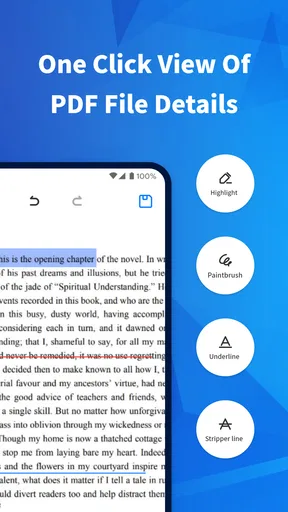
- Annotation options may be limited compared with dedicated PDF editors.
- The free version may display ads during use.
- Cloud integration may not support every storage service.
Similar Picks in This Category
View All
Google Calendar
Google LLC4.6

Google Drive
Google LLC4.3

Google Assistant
Google LLC3.9

Microsoft OneDrive
Microsoft Corporation4.6

Samsung Calendar
Samsung Electronics Co., Ltd.4.1

Microsoft OneNote: Save Notes
Microsoft Corporation4.6
Frequently Asked Questions
What is PDF Reader Point and what can I use it for?
PDF Reader Point is designed for opening and reading PDF documents on a mobile device. After installing it, users can typically browse saved files, access documents from local storage, and read pages using standard viewing controls such as zooming, scrolling, and page navigation. It may be useful for ebooks, forms, manuals, receipts, study materials, and work documents, although available tools can vary by version and platform.
Does PDF Reader Point support offline PDF reading?
PDF Reader Point is primarily intended for viewing documents that are already stored on your phone or tablet, so offline reading may be possible once the files have been downloaded or imported. This is convenient when travelling or working without an internet connection. However, features involving cloud services, online file locations, advertisements, updates, or external sharing may still require an active connection.
Can I search, zoom, or annotate documents in PDF Reader Point?
The app provides the basic controls expected from a mobile PDF viewer, including page scrolling, zoom adjustment, and navigation through a document. Depending on the installed release, it may also offer text searching, file organization, sharing, or annotation features. Users who need advanced editing, form filling, signatures, or extensive highlighting should check the current feature list before downloading, since these tools are not guaranteed in every version.
Is PDF Reader Point free to download and use?
PDF Reader Point may be available as a free download, but users should review the store listing carefully for advertising, optional purchases, or premium functions. Free access does not always mean that every feature is included without limitations. Before installing, check the displayed price, subscription information, in-app purchase section, and permissions. This is especially important if you intend to use the app regularly for professional or academic documents.
Is PDF Reader Point safe for opening personal or sensitive documents?
Before using PDF Reader Point with private documents, review its requested permissions, privacy policy, developer information, and recent user feedback. A PDF reader should not require unnecessary access beyond files or media needed to locate and open documents, but permission requirements can differ between Android and iOS versions. Avoid loading highly confidential files until you understand whether documents remain on the device or are processed through an online service.
